+20 155 969 5326
 info@as-home-group.com
A Turnover Checklist for Vacation Homes
A practical turnover routine for holiday apartments and chalets in Egypt: inspect, clean, change linen, test, restock, check keys and match the listing.

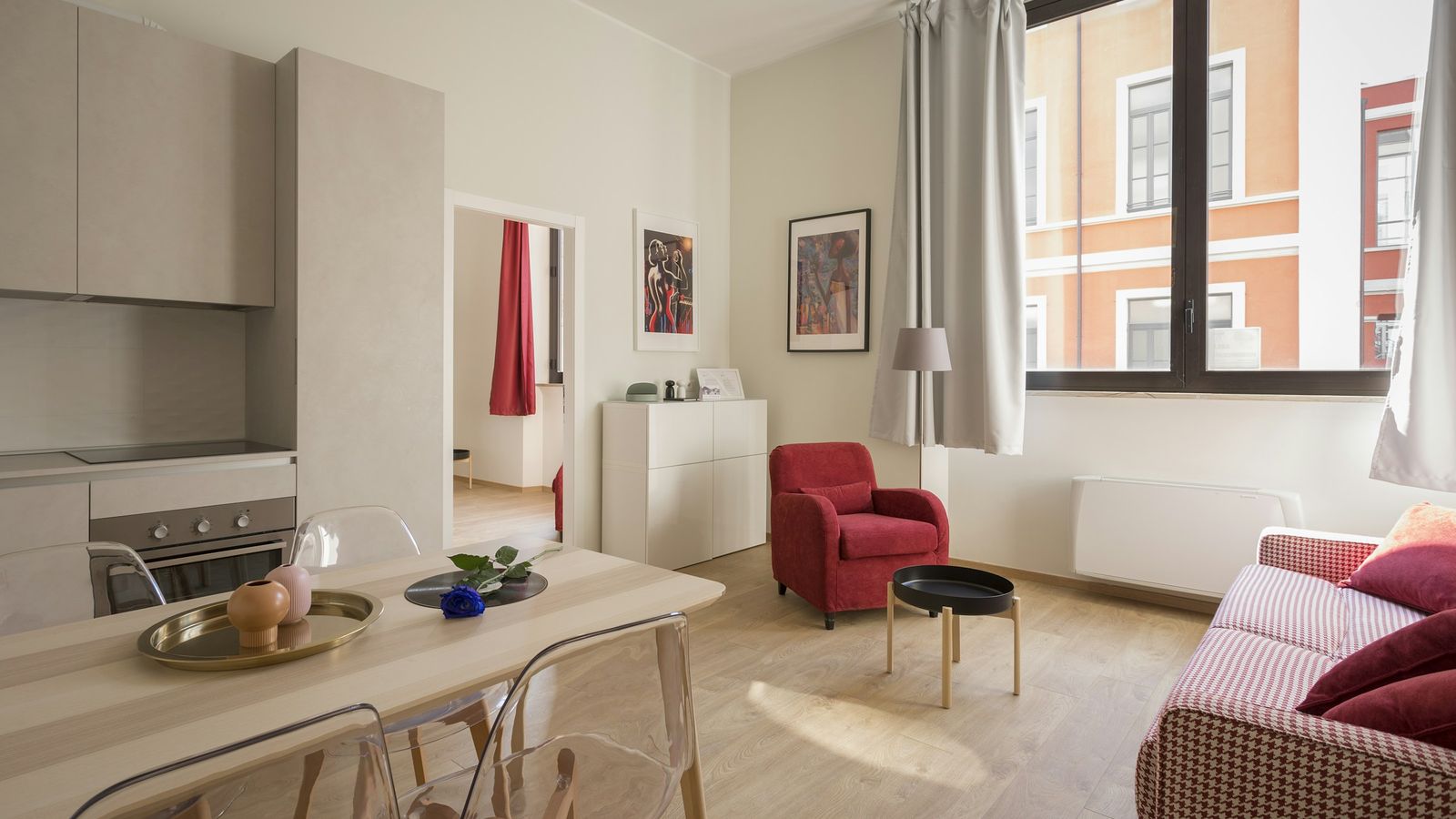
A good turnover follows the same order every time: inspect the unit as soon as the last guests leave, clean from the top of each room down, change all linen and towels, test everything the next guests will rely on (air conditioning, hot water, Wi-Fi, appliances), restock what your listing promises, confirm keys and arrival arrangements, and finish with a walkthrough against your own listing. Write the checklist down once and use it every time, whoever does the work.
Who this guide is for. Owners and small managers of holiday apartments and chalets in Egypt who prepare their own units between guests, or brief someone who does. It assumes you already have a listing; if you are still writing yours, start with our guide to preparing a property listing. As-home does not provide cleaning, inspection or management services for holiday homes, so this work is yours or that of the person you hire.
Why a written turnover list matters
Between two stays there is usually a fixed window: the check-out time you set and the check-in time you set. Everything below has to fit inside it, and the person doing it may be you one week and a cleaner or a relative the next. A written list means the unit is prepared to the same standard whoever holds the keys, and it tells you quickly what was missed if a guest raises something.
1. Inspect first, before you clean
Walk through the unit before any cleaning starts, while you can still see it as the guests left it. Cleaning first hides evidence: a stain wiped away, a broken glass already in the bin.
- Check each room for damage, missing items and anything left behind.
- Photograph any damage with the date visible, in case you need to raise it with the guest.
- Note repairs on one running list: dripping taps, a loose handle, a blown bulb, a remote with flat batteries.
- Decide what must be fixed before the next arrival and what can wait.
If something cannot be fixed in time and makes the unit unfit for the next guests, tell them before they travel rather than at the door. If future dates are still free, you can block them on your listing's calendar in your host dashboard until the repair is done.
2. Clean in a fixed order
Work from the top of each room down and from the far end of the unit towards the door, so you are not walking over floors you have finished. Open windows and the balcony door while you work if the weather allows.
Kitchen
Empty and wipe the fridge, and throw away anything opened that guests left. Clean the hob or stove, oven, microwave and sink. Wash, dry and put away every dish, pan and utensil, including the ones that look clean. Empty the bin and replace the bag.
Bathrooms
Clean the toilet, basin, shower or bath, tiles and mirror. Check drains run freely and that there are no hairs in the shower tray or on the floor. Replace toilet roll and whatever toiletries you provide.
Surfaces people touch
Door handles, light switches, taps, air-conditioning remotes, the TV remote, cupboard handles and countertops are touched by every guest. The US Centers for Disease Control and Prevention advises cleaning frequently touched surfaces regularly, and cleaning before disinfecting, because dirt makes disinfectants less effective. If you use a disinfectant, follow the label, including how long the surface must stay wet.
Floors, last
Sweep or vacuum, then mop, finishing at the front door. In beach areas, check balconies, entrances and under beds for sand.
3. Linen and towels
Strip every bed that was used, and check the ones that look unused: guests move between rooms. Make beds with freshly washed linen, and check mattress protectors and pillows for stains. Put out a full set of towels for the number of guests booked. If your listing includes "Towels & bed linen" among its amenities, guests will expect both, for everyone in the booking.
Keep at least one spare set of linen and towels per bed in the unit or nearby. Laundry that has not dried in time is a common reason a turnover runs late.
4. Test what guests will rely on
Do not assume something works because it worked last week. Test, in the room, the things a guest would phone you about:
- Air conditioning: each unit switches on, cools and responds to its remote. Clean or check filters on the schedule your technician recommends.
- Hot water: run the hot tap in each bathroom until it is warm. If the heater was switched off, turn it on early enough to heat up.
- Wi-Fi: connect a phone, load a page, and confirm the network name and password match whatever you give guests.
- Appliances: fridge cold, hob lights, kettle boils, washing machine runs if you list one, TV and remotes work.
- Locks and safety: front door, balcony door and windows lock; any smoke alarm or extinguisher you provide is in place.
5. Restock what the listing promises
Open your listing and read its amenities as a guest would. Anything ticked there should be in the unit and usable: if you list a hair dryer, an iron or cooking basics, check they are there and work. Keep a small stock of consumables so you are not shopping on the day: toilet roll, soap, dish liquid, sponges, bin bags, and anything else you have chosen to provide. If you find you no longer provide something, update the listing rather than leave the next guest to discover it.
6. Keys and arrival
Count the keys and access cards before you leave, and put them where the next arrival will collect them. Then check that the arrival arrangement agreed with the guest still works: who meets them, at what time, or how they collect the keys, and a number they can reach on the day. If a building or compound gate needs guest names in advance, send them.
7. Compare the unit with its listing
Your listing is the description guests booked. Before you lock up, check the unit against it: the number of beds and how they are made up, the photos (has furniture moved, has a sofa bed been replaced?), and the house rules you set. If something has changed for good, edit the listing in your host dashboard. Amenities and rules save directly; changes to the title, description or photos of an approved listing may be reviewed before they appear.
8. The final walkthrough
Enter the unit as a guest would, from the front door, and walk every room once more. Lights off, air conditioning set to a comfortable level or off as you prefer, curtains as you want them found, bins empty, nothing left on the counters but what you put there on purpose. Note anything the next turnover should fix, and lock up.
The reusable checklist
| Stage | Check |
|---|---|
| Inspect | Damage photographed and dated; items left behind; repairs listed |
| Kitchen | Fridge emptied and wiped; hob, oven, microwave, sink clean; dishes washed and away; bin emptied |
| Bathrooms | Toilet, basin, shower, tiles, mirror clean; drains clear; toilet roll and toiletries replaced |
| Touched surfaces | Handles, switches, taps, remotes, countertops cleaned |
| Floors | Swept or vacuumed, then mopped; sand cleared from balcony and entrance |
| Linen | Every used bed stripped and remade; towels for every guest booked; spares in stock |
| Tests | Air conditioning, hot water, Wi-Fi, appliances, locks |
| Restock | Every listed amenity present and working; consumables topped up |
| Arrival | Keys counted and placed; arrival arrangement confirmed; gate names sent if needed |
| Listing match | Beds, furniture and rules match the listing; listing edited if anything changed |
| Walkthrough | Every room seen from the door; notes for next time |
Print it, keep it in the unit, or send it to whoever does the work. Add the details specific to your unit, such as where the spare linen is or which breaker controls the water heater.
List your holiday home on As-home
If you are preparing a unit for guests and have not listed it yet, see how listing works and what you need. Already hosting? Your host dashboard is where you update amenities, house rules and your calendar.
Frequently asked questions
How long should a turnover take?
It depends on the size of the unit, how it was left and how many people do the work. Time your first few turnovers against the checklist and plan your check-out and check-in times around what you find.
Does As-home clean or inspect my unit?
No. As-home does not offer cleaning, inspection or property management for holiday homes. Turnover is the owner's responsibility or that of someone the owner arranges.
What if I find damage after a guest leaves?
Photograph it with the date before cleaning, note what is damaged or missing, and raise it with the guest promptly. Fix anything that affects the next stay, or tell the next guests before they travel.
Sources: cleaning guidance from the US Centers for Disease Control and Prevention, When and How to Clean and Disinfect Your Home. Details of As-home's host dashboard (amenities, house rules, calendar blocking, listing edits) were checked against As-home's current site code and public pages on 20 October 2026.
More from Hosting tips.
بين ضيف والتاني: قايمة تجهيز وحدتك المصيفية
خطوات عملية لتجهيز الشقة أو الشاليه بين الضيوف: معاينة، تنضيف، تغيير المفارش، تجربة الأجهزة، تكميل الناقص، المفاتيح، ومطابقة الإعلان.
The As-home teamOct 21, 2026
يعني إيه نظام إدارة الفندق (PMS)؟ دليل للفنادق في مصر
نظام إدارة الفندق من خلال حجز واحد، من المكالمة لحد الخروج: الأوض المتاحة، سعر كل ليلة، العربون، حساب الضيف، والتعديل والإلغاء.
The As-home teamOct 14, 2026What Is a Hotel PMS? A Guide for Hotels in Egypt
A hotel PMS explained through one reservation, from the phone call to check-out: availability, nightly rates, deposits, the guest bill, changes and cancellations.
The As-home teamOct 14, 2026